When your brain feels overwhelmed, start here.
CommandCenterADHD is the ADHD planning system that helps you choose what matters, find your next step, focus, and restart when the day goes off track.
One time purchase. No subscription. 30-day money-back guarantee.
The planner autopsy
Traditional planners often assume clear priorities, steady energy, and perfect follow through. CommandCenterADHD handles those three moments differently.
Every task looks equally important
When everything competes for attention, choosing where to start becomes another task.
Solution: One PriorityChoose the single task that matters most right now.
Assumes your energy stays the same
Attention and capacity change, but fixed schedules keep asking for the same output.
Solution: Energy BlocksChoose tasks based on the capacity you have today instead of following a schedule that no longer fits.
Treats a difficult day as failure
Missed tasks can create guilt, avoidance, and a backlog that becomes harder to reopen.
Solution: ResetReview what remains, keep what still matters, and choose where to begin again.
How it works
Plan
Choose the one thing that matters most today, so you are not carrying the whole list at once.
Focus
Line up your day around the energy you actually have, not the energy you wish you had.
Do
Take the next small step, check it off, and let a little momentum build.
Thrive
When the day goes sideways, reset in one tap and keep what still matters.
For the days you have almost nothing left
When you feel overwhelmed, the plan gets smaller, not louder. The whole list steps back and you see one must do, one quick win, and a short focus timer. Forget the rest for a moment and get one thing moving.
Must do
Reply to the one email that is weighing on you
One quick win
Refill your water bottle
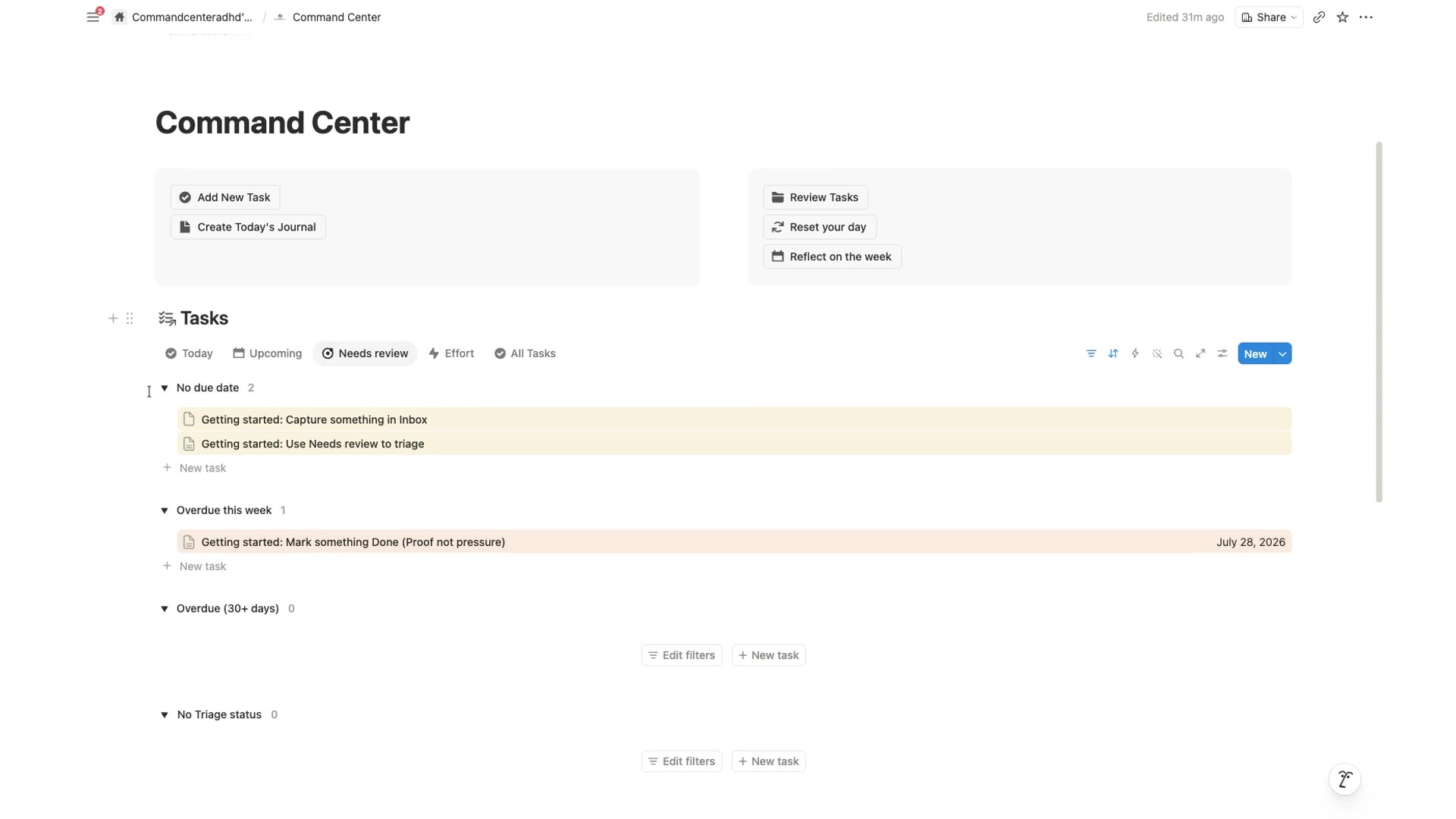
See CommandCenterADHD in Action
A quick look at how the daily planner and the full Notion system work together.
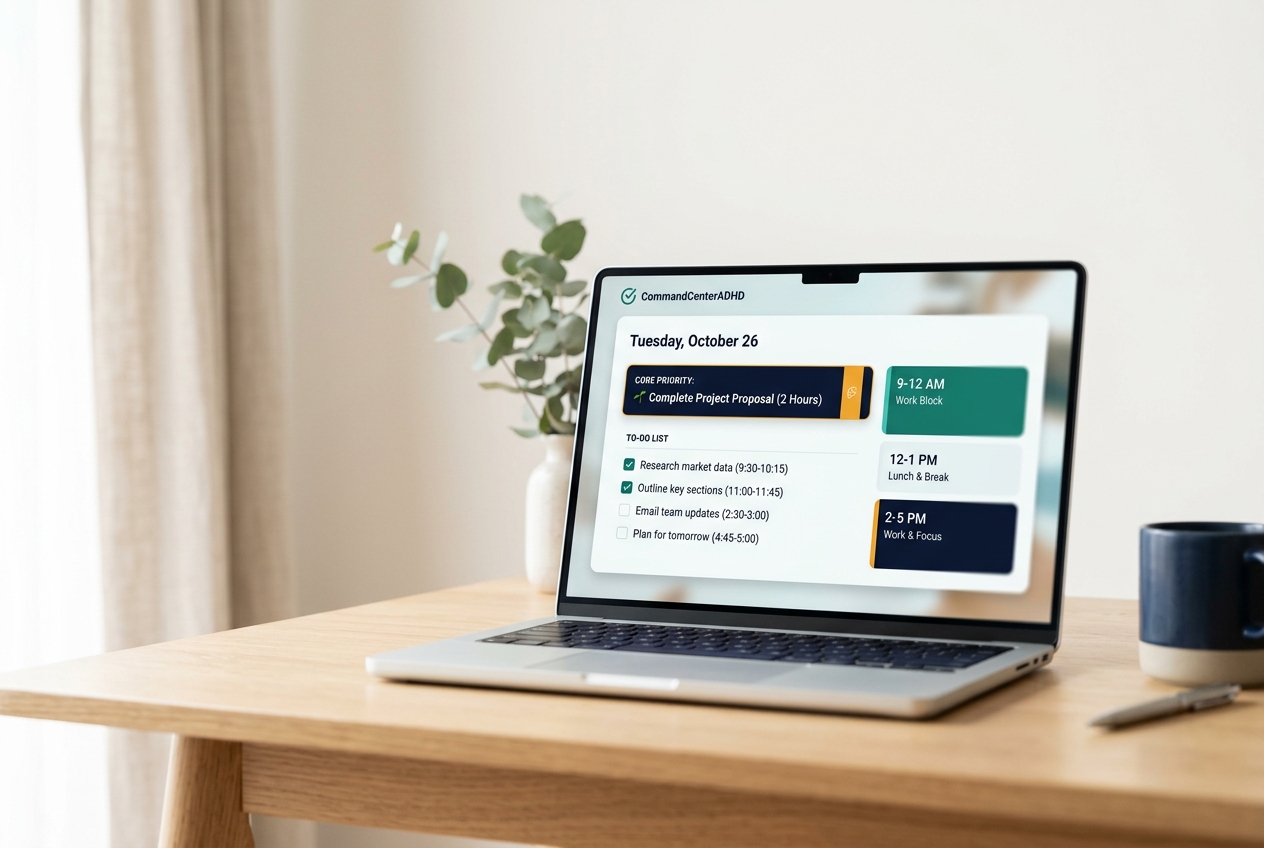
A real look inside the Command Center
Actual screenshots from the Notion system, not mockups.
Your daily command center
Start, review, and reset from one page, with task views by day, priority, and energy.
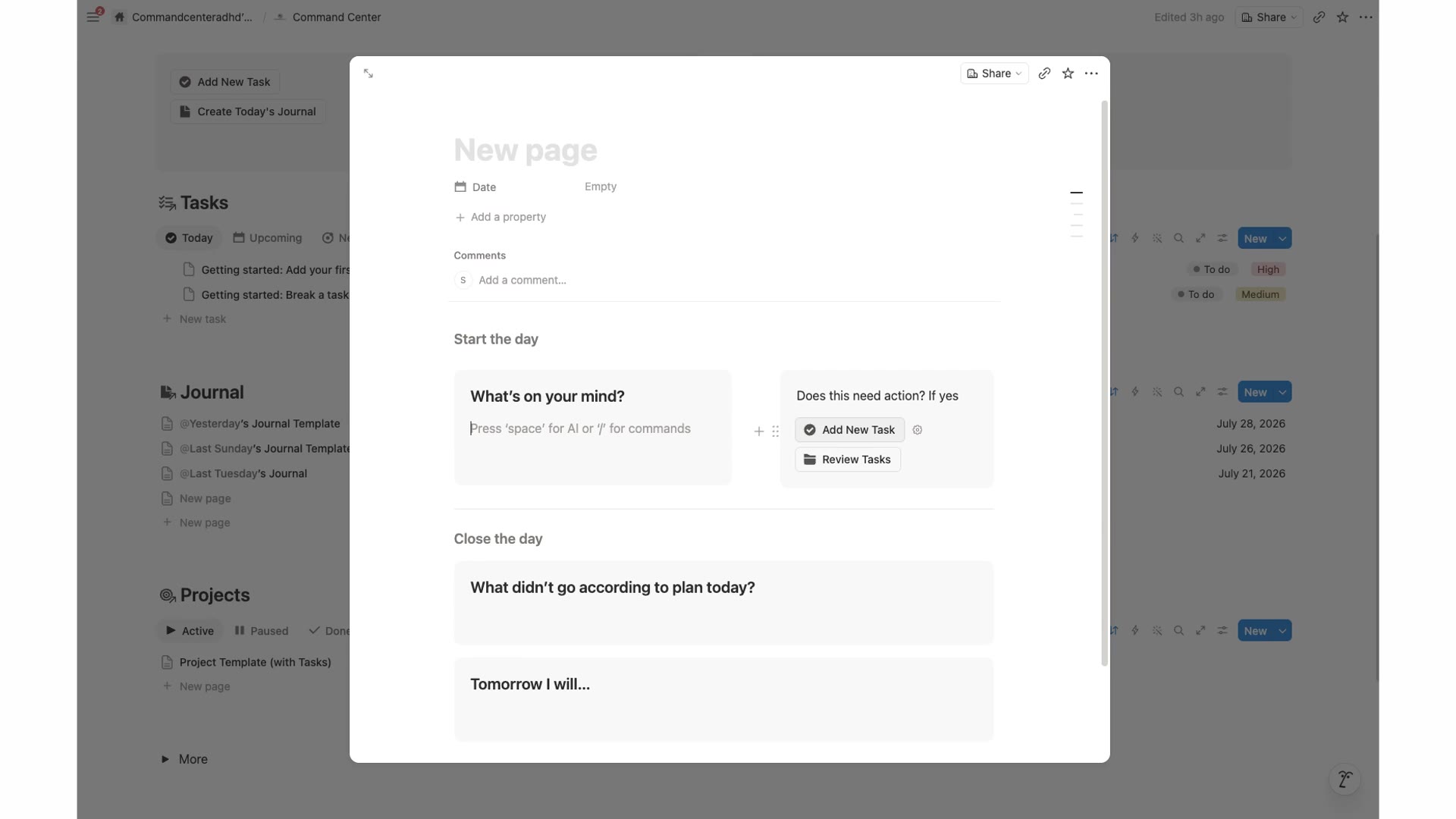
Brain Dump
Capture whatever is on your mind first, then decide what actually needs action.
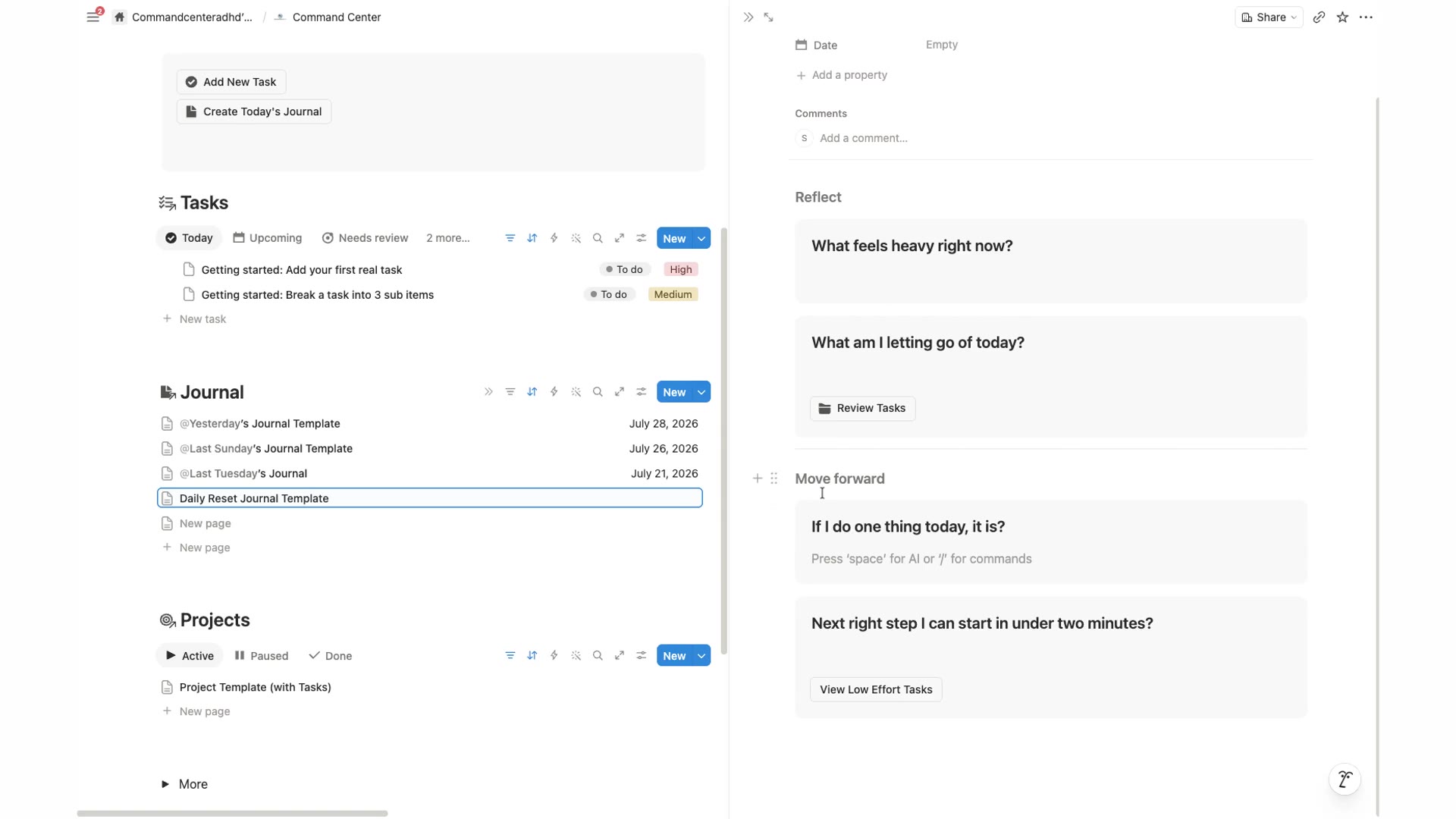
The daily reset
Built to expect a hard day. Reflect, let go, and surface a low-effort next step.
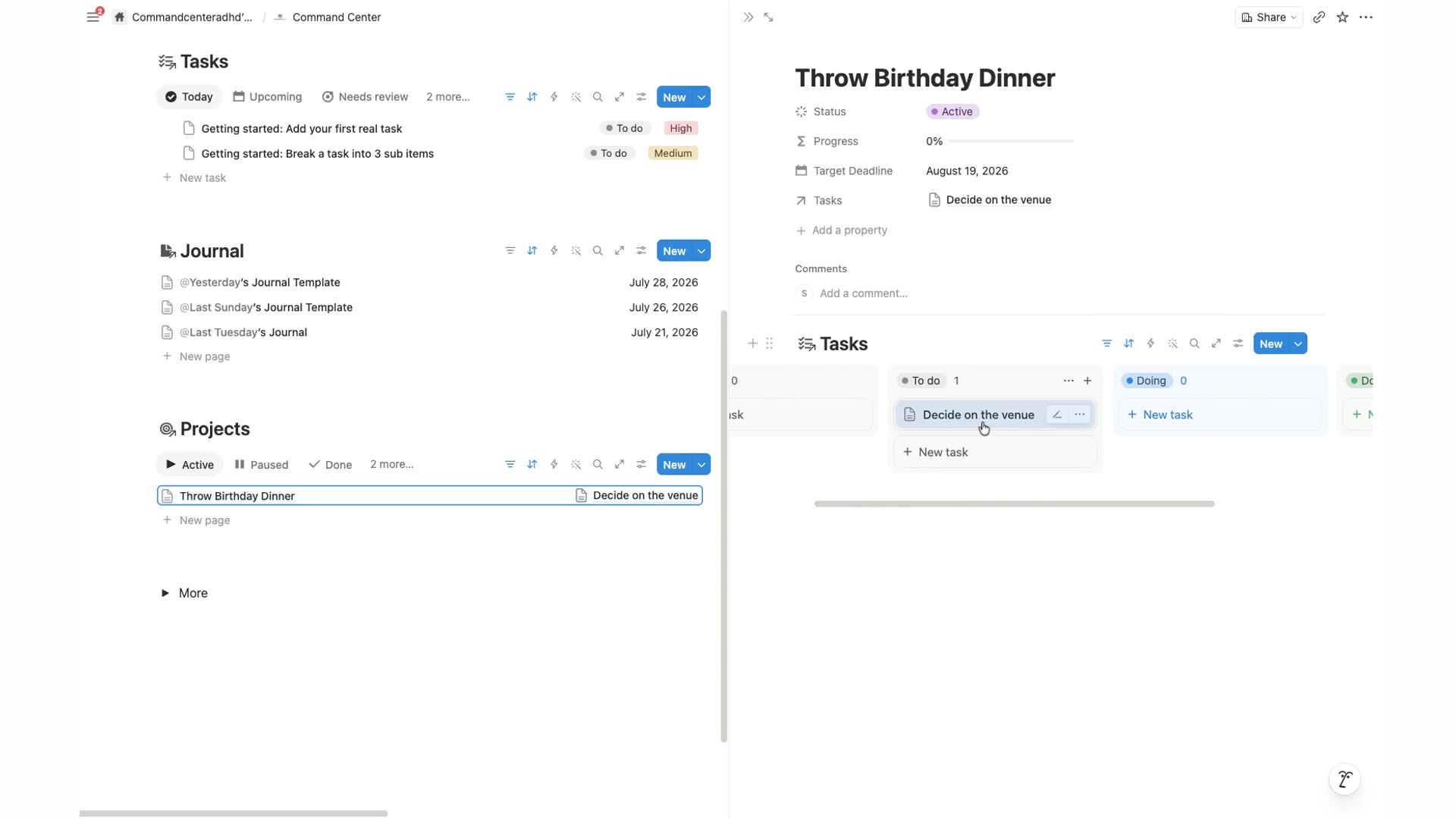
Projects, connected
Tasks roll up into projects with a simple To do / Doing / Done board.
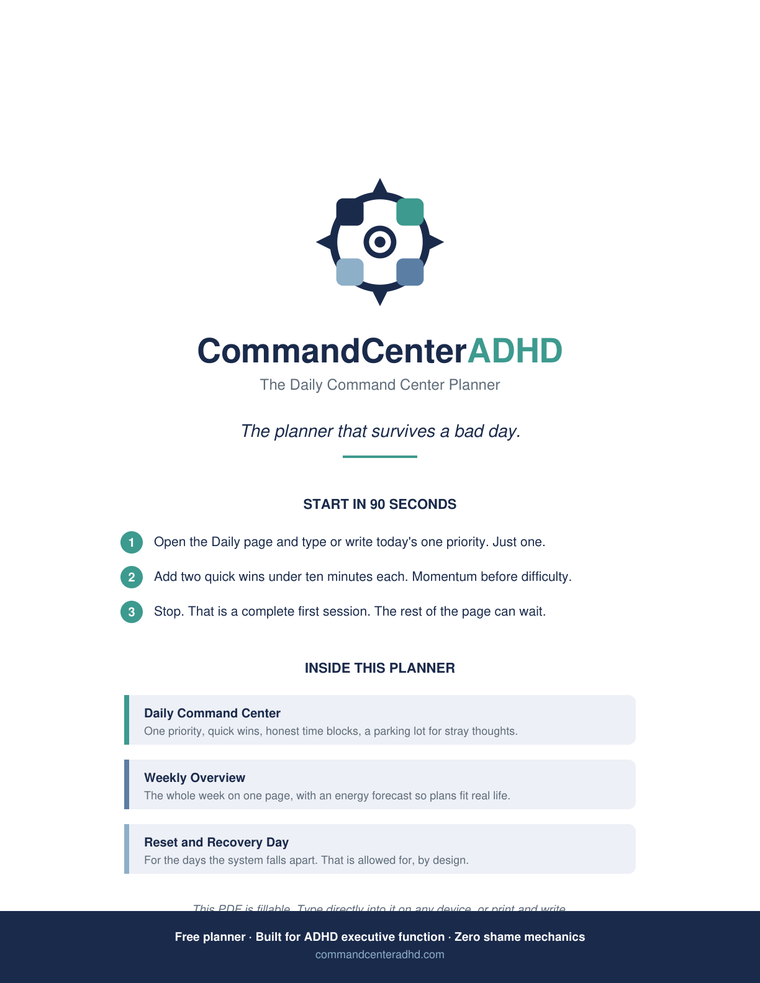
A clear view for today. Everything else stays organized.
The free PDF gives you a focused page for today. The Notion Command Center adds task capture, focused task views, daily and weekly journals, projects, and reset actions. Start with today and open the rest only when you need it.
- One Priority for choosing what matters now
- A place to capture tasks before they are forgotten
- Today, Upcoming, Needs Review, Effort, and All Tasks views
- Daily and weekly journals
- Project tracking for larger responsibilities
- Reset actions for restarting the day and reviewing the week
- Five setup videos
What your $17 includes
- The full CommandCenterADHD Notion system, ready to duplicate
- Daily and weekly journals to plan and look back
- Task and project views that keep everything visible
- Reset actions to restart after an off day
- Setup videos that walk you through it at your pace
- Community access with other members
- Future updates included, at no extra cost
Access is delivered by email as a link right after checkout. Works with the free Notion plan in any browser.
People who kept starting over, and finally stopped
And the people around them noticed.
Real words from Command Center owners, added as they come in.
Before CommandCenterADHD, my day felt like a long list of things I meant to do but could not organize. Having one calm place to see my priorities helped me start with the next task instead of trying to solve everything at once.
Jackie J.
New customer
CommandCenterADHD did not make me feel judged for falling behind. Breaking tasks into smaller steps and seeing a simple plan for the day made it easier for me to reset and keep moving.
Delores A.
Early user
I used to switch between notes, reminders, and messages without knowing what mattered first. CommandCenterADHD gave me a clearer view of my commitments, so I could choose one realistic next action.
Michael B.
Early user
Start with the free planner. Add the full workspace when you need more.
Daily planner PDF
Free
A focused daily page for choosing one priority, planning realistic time blocks, and deciding what can wait.
Notion Command Center
$17one time purchase, future updates included
Less than one month of a subscription planner app. Yours forever.
30-day money-back guarantee. Email support@commandcenteradhd.com and we'll refund you, no forms, no questions.
Community access included for Command Center owners.
Includes task capture, focused task views, daily and weekly journals, project tracking, reset actions, and setup videos.
 Secure checkout
Honest answers
Choose what matters, focus, and restart when you need to.
One calm planning system for the way your day actually goes.
One time purchase. No subscription. 30-day money-back guarantee.